Cannot print on a shared printer
- Identify where the printer is connected
- Press windows + r then type cmd hit enter.
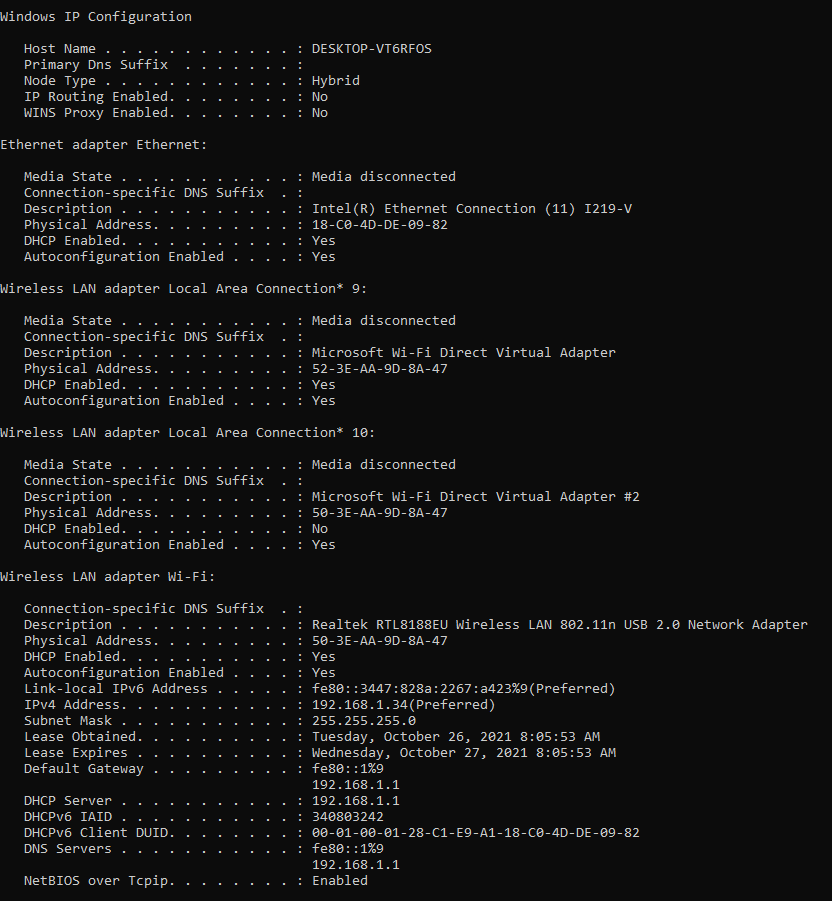
- On the cmd type “ipconfig/all” and press enter. It will show you below image.
- Get the server Host Name and IPv4 Address.
- On the users’ side press windows key + r and type \\host-name or \\IPv4 and hit “Enter”
- Shared window will pop-up. Right click on the desired printer and click “Connect”
IT-JR
0